
Download Vallum – Simple, Secure Firewall Tool for macOS
Overview
In today’s hyper‑connected world, a reliable firewall is no longer a luxury—it’s a necessity. While macOS ships with a built‑in firewall, many power users and privacy‑conscious individuals look for an extra layer of control that can monitor individual application traffic in real time. Vallum steps into that gap as a lightweight, user‑friendly firewall application designed specifically for Mac.
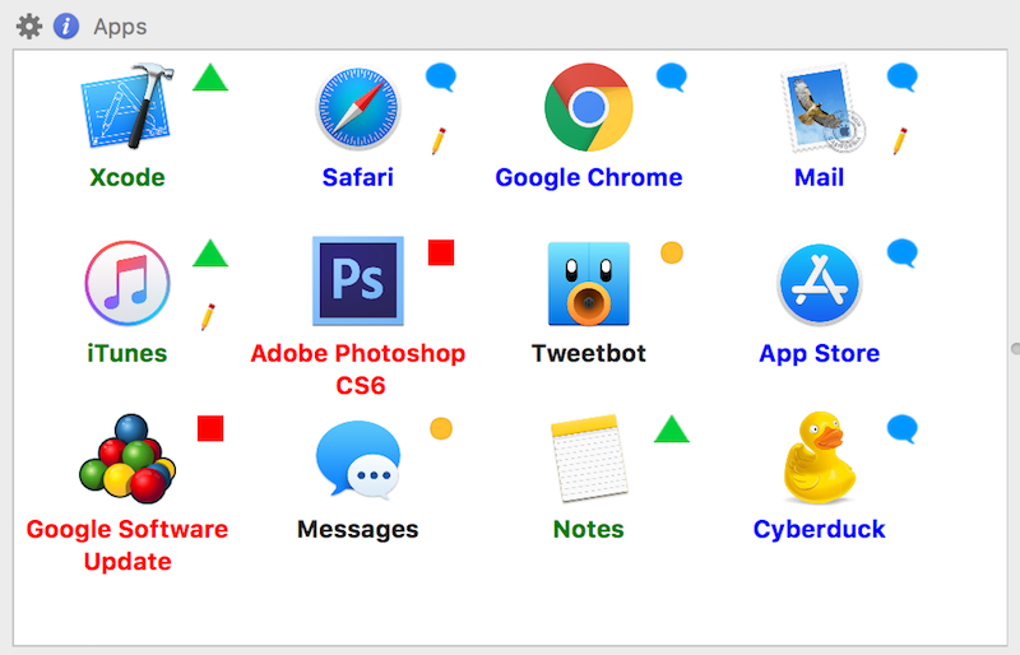
Its core mission is simple: give you granular visibility over which apps can send or receive data, and let you block unwanted connections with a few clicks. The interface is intentionally minimalistic—apps appear as recognizable icons, and rule creation is as easy as dragging an icon onto a preset. Whether you need a “set‑and‑forget” solution with one‑click presets or a highly customized rule set based on Geo‑IP or temporary events, Vallum adapts to your privacy preferences without cluttering your desktop.
Hidden in the menu bar when inactive, it stays out of the way while remaining instantly accessible. The tool also provides detailed logs and push notifications, helping you stay informed about network activity and quickly react to suspicious behavior. In short, Vallum is an uncomplicated yet powerful companion to your existing macOS security stack, delivering peace of mind without sacrificing usability.
Key Features & Built‑In Pros / Cons
- Drag‑and‑drop rule creation – simply move app icons onto preset zones.
- Six ready‑made security presets (Default, Blind, Jail, Block Everything, Apps Need Permission, Some Apps Need Permission) for instant configuration.
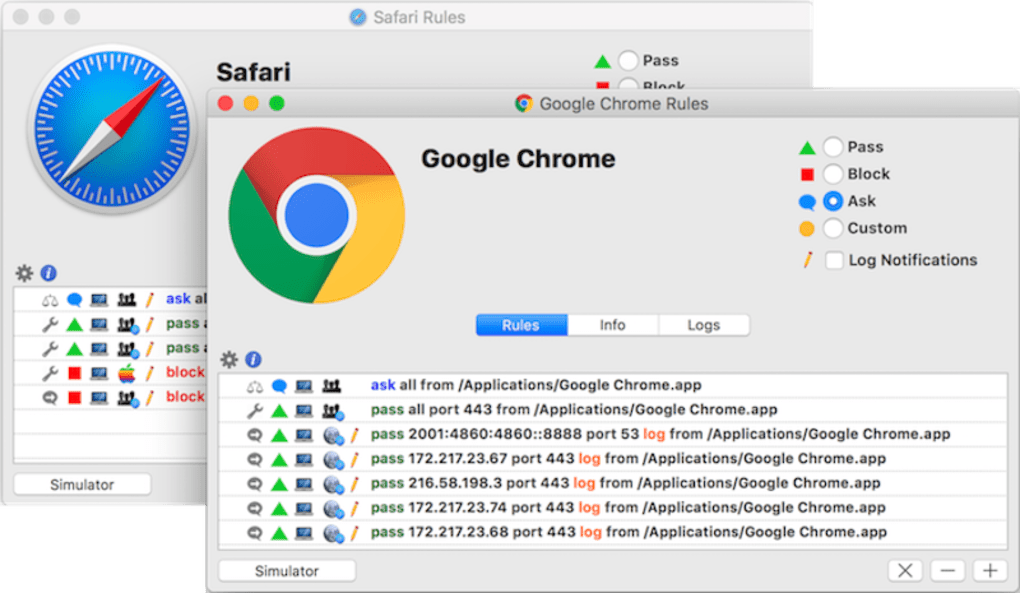
- Custom rule engine – define permanent or temporary rules for any application.
- Geo‑IP based blocking – group apps by country and apply location‑specific restrictions.
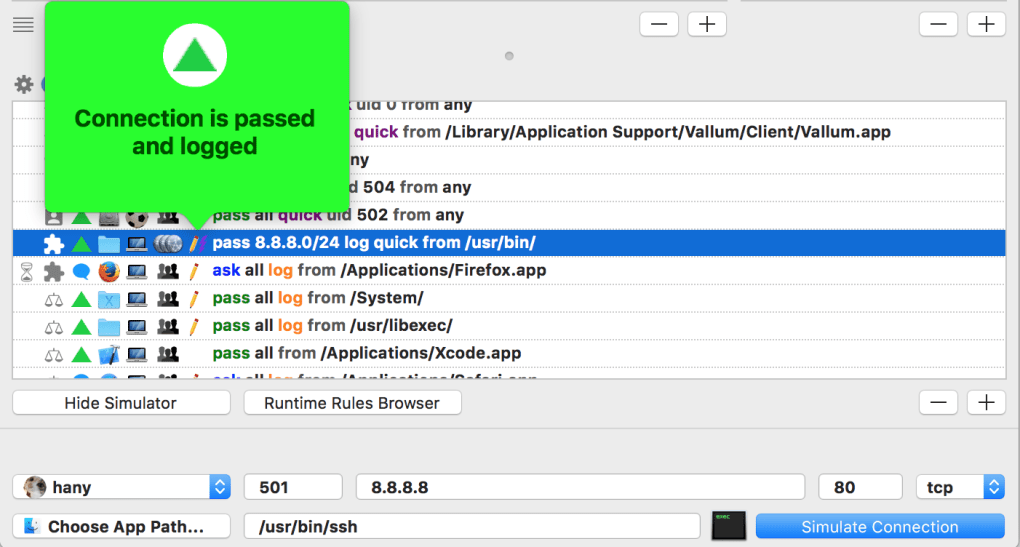
- Real‑time connection logs and push notifications to keep you aware of network events.
- Menu‑bar integration – the app stays hidden when not in use, preserving desktop space.
- Lightweight design – minimal CPU and memory footprint, ideal for laptops and older Macs.
Pros
- Intuitive UI: Icon‑based layout makes rule creation feel natural, even for non‑technical users.
- One‑click presets: Quickly adopt a security level that matches your current need without digging through menus.
- Low resource usage: Runs silently in the menu bar, consuming negligible system resources.
- Detailed logs: Enables forensic analysis of network traffic, useful for detecting hidden threats.
- Geo‑IP filtering: Adds an extra layer of control for users concerned about data traveling through specific regions.
Cons
- macOS‑only: No Windows, Android, or iOS version is currently available.
- Learning curve for advanced rules: While presets are simple, creating custom rule sets may require a basic understanding of networking concepts.
- No built‑in VPN: Vallum focuses solely on firewall functionality and does not provide encrypted tunneling.
- Limited third‑party integration: Does not currently sync with external security dashboards or SIEM tools.
Installation, Usage & Compatibility
Getting started with Vallum is straightforward. First, download the installer from the official website. The file is a signed .dmg package, ensuring a secure and tamper‑free installation.
Double‑click the .dmg, drag the Vallum icon into your Applications folder, and launch the app. macOS will prompt you to grant the necessary network permissions; you must allow these for the firewall to function correctly. Once opened, Vallum places a tiny shield icon in the menu bar. Clicking the icon reveals the main window, where you’ll see a grid of installed applications represented by their icons.
To create a rule, simply drag an app’s icon onto one of the preset columns (e.g., “Block Everything” or “Apps Need Permission”). The interface instantly updates, and a confirmation toast appears. For temporary rules—useful when you need a program to connect for a short event—right‑click the app icon and select “Allow for 30 minutes” or a custom time frame. The Geo‑IP blocker works by opening the “Geo‑IP” tab, where you can add countries to a whitelist or blacklist and then assign apps to those groups.
Compatibility: Vallum is built exclusively for macOS 10.15 (Catalina) and later, including macOS Monterey, Ventura, and the upcoming Sonoma releases. The app runs natively on both Intel‑based Macs and Apple Silicon (M1, M2, and later) thanks to universal binaries. While it does not support Windows, Linux, Android, or iOS, the developers have hinted at possible cross‑platform expansions in future updates.
Updating Vallum is as simple as checking the “Check for Updates” option in the menu‑bar dropdown. The app contacts the developer’s server, downloads the latest signed package, and prompts you to restart. Because the software is lightweight, updates are quick and rarely require a reboot, ensuring continuous protection without downtime.
FAQ & Conclusion
-
Is Vallum a free application?
Vallum offers a free version with core firewall functionality and the six built‑in presets. A premium license unlocks advanced features such as unlimited custom rules, extended Geo‑IP lists, and priority support.
-
Can Vallum replace macOS’s built‑in firewall?
Vallum is designed to complement, not replace, the native macOS firewall. It adds per‑application visibility and granular control that macOS’s default firewall lacks.
-
How does the Geo‑IP blocking work?
The Geo‑IP feature uses an up‑to‑date database of IP‑to‑country mappings. You create a group (e.g., “Block EU”) and assign apps to that group. Vallum then blocks any outbound connections that originate from the listed countries for those apps.
-
Will Vallum impact my system’s performance?
Because Vallum runs as a lightweight menu‑bar app, its CPU and memory usage are minimal—typically less than 5 MB of RAM and negligible CPU load during idle periods.
-
Is my data safe when using Vallum?
Yes. Vallum processes traffic locally on your machine; no data is sent to external servers unless you enable automatic updates or send logs for support. All logs are stored encrypted on your drive.
Conclusion & Call to Action
If you’re looking for a straightforward, visual firewall that respects macOS’s design language while giving you powerful control over application traffic, Vallum is worth a try. Its drag‑and‑drop interface, ready‑made presets, and low system impact make it ideal for both beginners and seasoned security enthusiasts. Download the free version today, test the presets, and decide if you need the premium features for deeper customization. Protecting your privacy has never been this simple—add Vallum to your security toolkit and enjoy a more secure browsing experience on your Mac.







